Note: Mailbox is
stated to be limited to 5 megabytes.
You can use this information to retrieve emails from your
Student Email address without having to log into the MyCampus
web client. Clients such as the iPod Touch, iPhone, BlackBerry smartphones,
& many other devices are able to access your MyCampus
Email account. POP access may be blocked, so far efforts to connect to a POP server have been unsuccessful.
iPod Touch
Settings > Mail, Contacts, Calendar > Add Account... >
Other > Add Mail Account > IMAP >
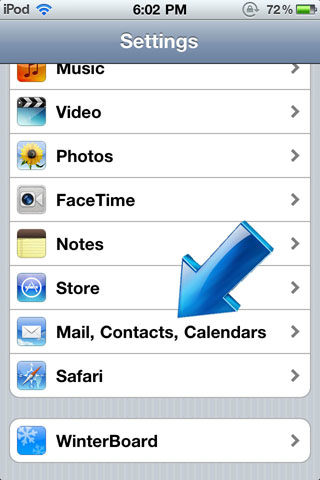
Under Settings find Mail, Contacts, Calendars
Select Add Account
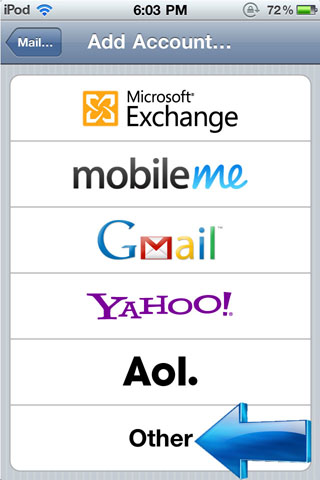
Select Other
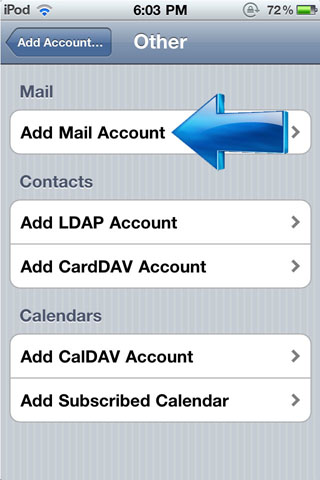
Select Add Mail Account
Select IMAP and fill in your information.
Outgoing and Incoming Mail Server info are identical.
Note: Outgoing service may only work on campus or not at all.
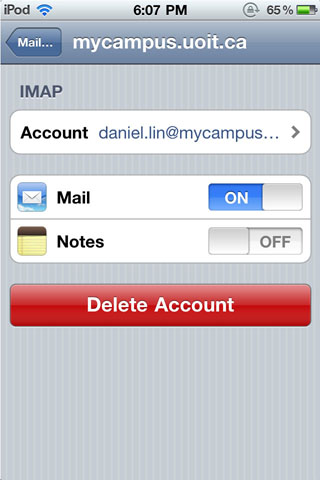
Turn off Note syncing.
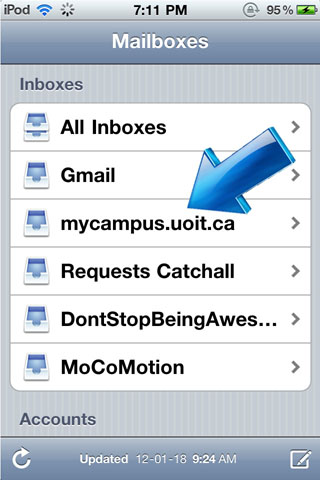
Find your new mailbox.
**This has been tested as
of January 14, 2012 on an iPod Touch & iPad.